Actions required
Three of the four columns run themselves. Actions required is the one that doesn’t: every card in it is a job that has stopped, and it will stay stopped until somebody in your company presses the button on it.
If you only look at one column in the morning, look at this one.
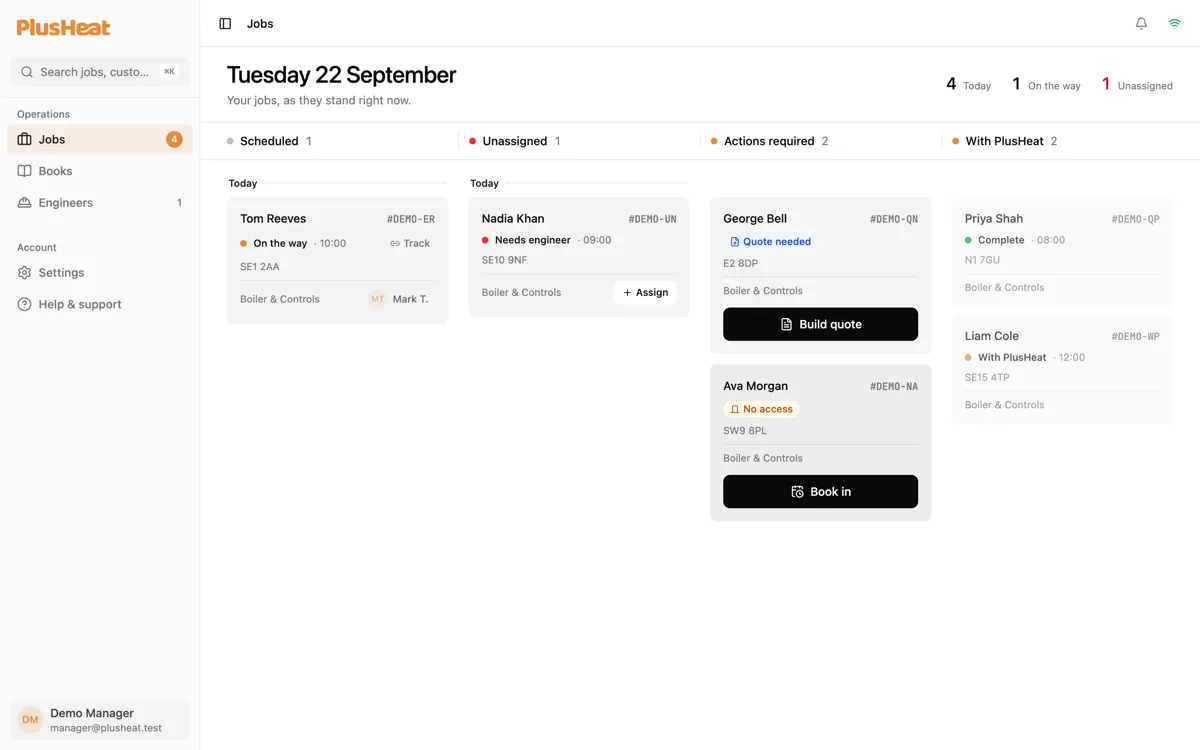
Every card carries its own button
Section titled “Every card carries its own button”There’s no menu to hunt through. The card knows what it needs:
| What it says | Colour | What happened | The button |
|---|---|---|---|
| Quote needed | Blue | The engineer’s report says additional work is needed, and it has to be quoted before anyone does it. | Build quote |
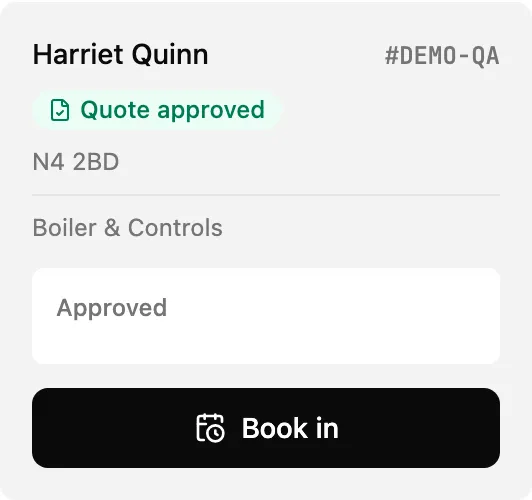
| Quote approved | Green | The customer said yes to your quote. The work now needs a day. | Book in |
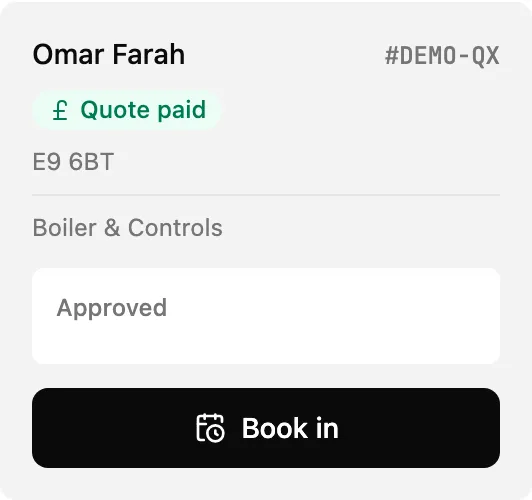
| Quote paid | Green | The customer has paid for the quoted work. | Book in |
| Recall | Red | The customer has asked for the engineer to come back. | Book in |
| No access | Amber | The engineer attended and nobody was home. | Book in |
| Awaiting report | Violet | A visit that happened outside the app. Rare. | None — see below |
What each one looks like
Section titled “What each one looks like”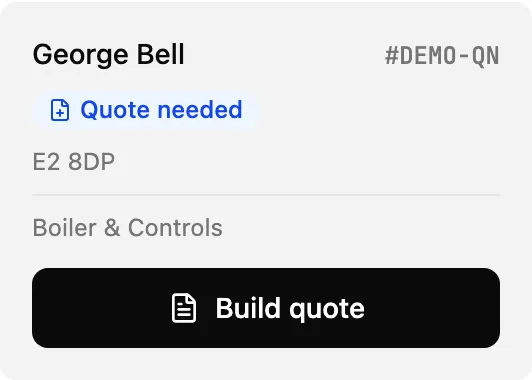
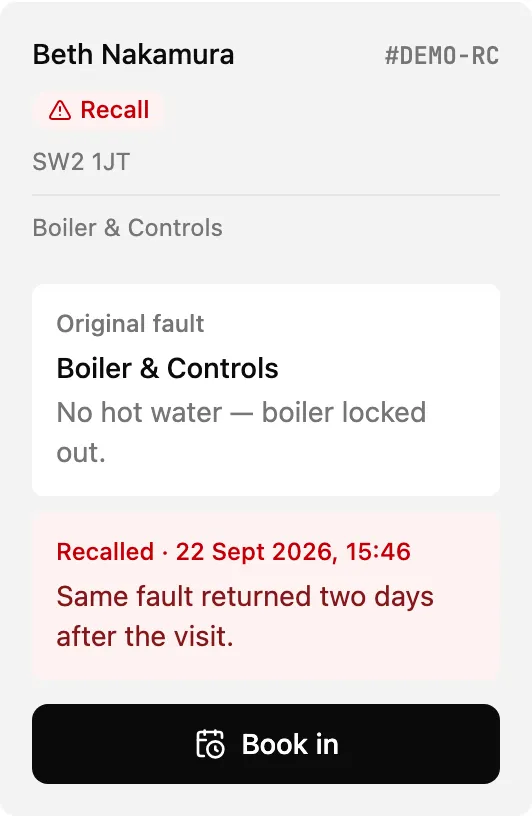
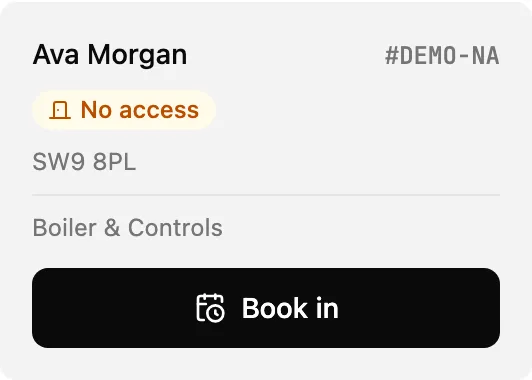
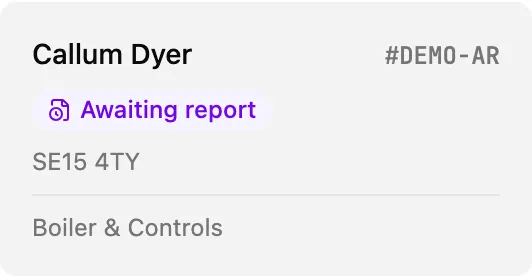
Awaiting report
Section titled “Awaiting report”Awaiting report is the odd one out, and you should rarely see it. A visit done through the PlusHeat Engineer app files its report as part of finishing the job, so the job never passes through this state at all.
It’s there for the jobs that didn’t go through the app — work recorded on PlusHeat’s side, or an older job from before the app. PlusHeat closes those off themselves.
There’s no button because there’s nothing for you to press. If one is sitting on your board and you don’t recognise it, ring PlusHeat with the job number.
Book in
Section titled “Book in”Four of the states resolve the same way: pick a day, pick a window.
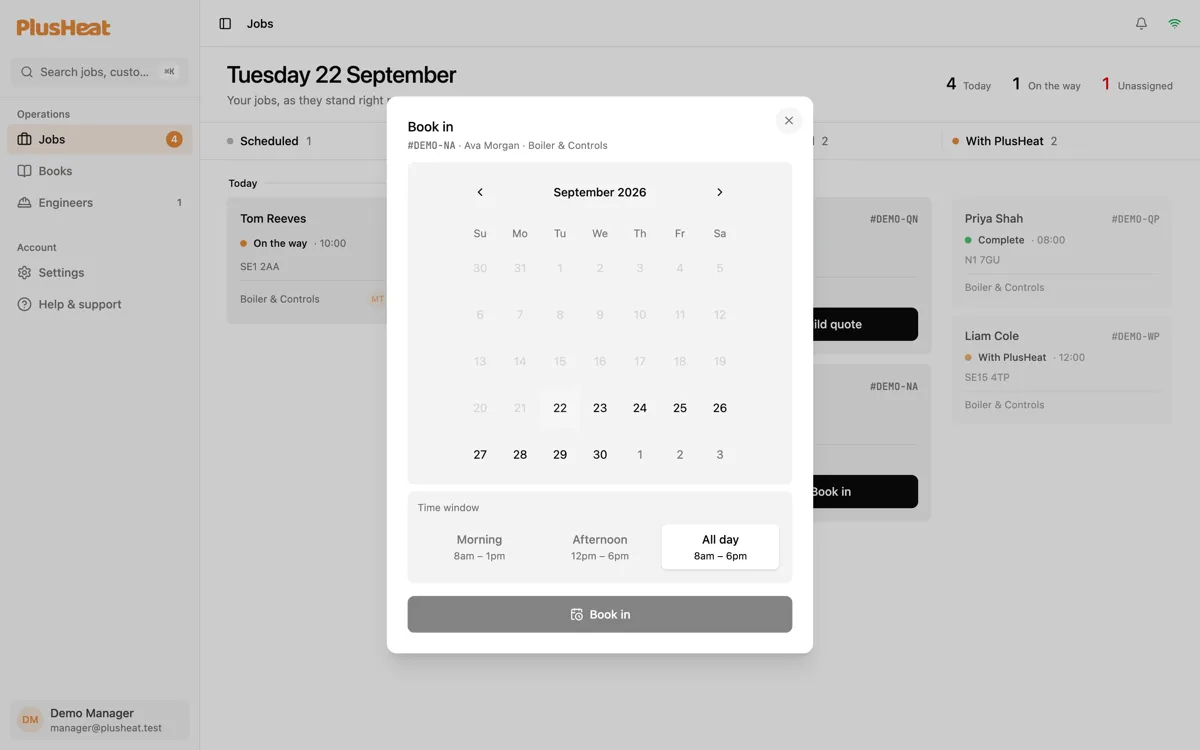
The three windows are AM · 08:00 - 13:00, PM · 12:00 - 18:00 and All day · 08:00 - 18:00. The window is the promise the customer gets — not an exact time.
Booking clears the action. The job drops to Unassigned for you to put an engineer on, or stays with the engineer it already had. Full detail on Booking a visit.
Build quote
Section titled “Build quote”One state resolves differently: Quote needed wants a price, not a date.
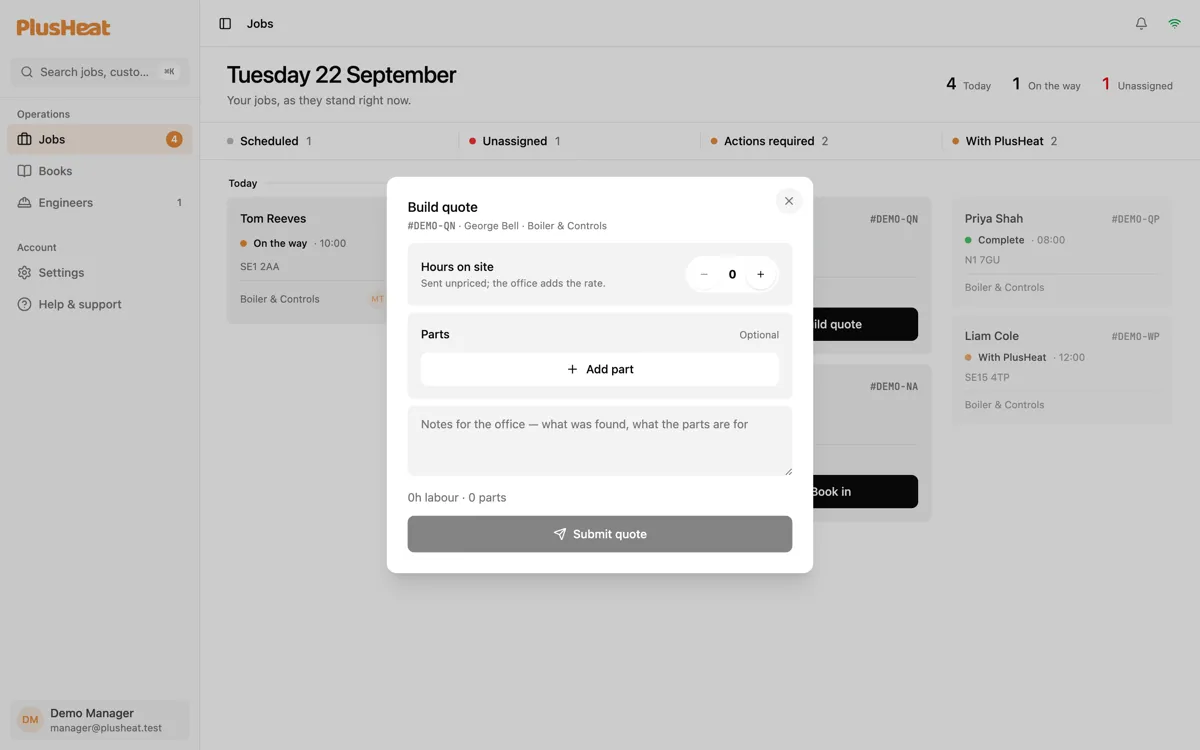
Submitting moves the job to With PlusHeat, who put it to the customer. It comes back here as Quote approved if they say yes. Full detail on Quotes.
On a phone
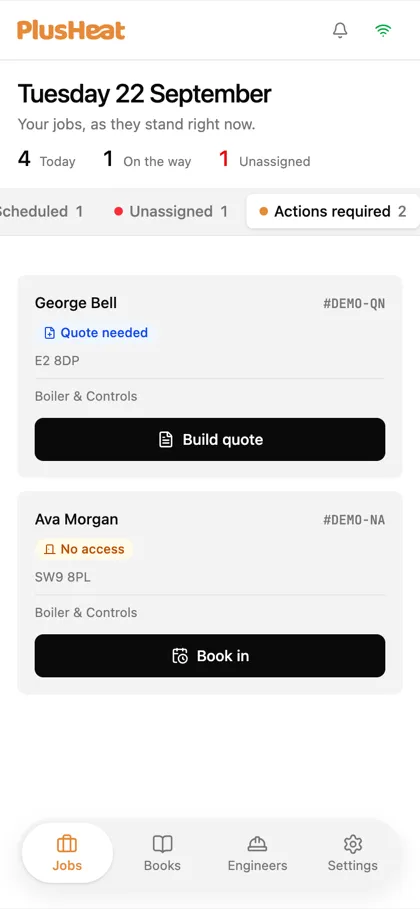
Section titled “On a phone”Actions required is the third tab. Same cards, same buttons.
What a card tells you before you press
Section titled “What a card tells you before you press”Recalls and approved quotes carry their context on the card, so you can judge it without opening the job:
- Recall shows the original fault, the reason the customer gave, and when they asked.
- Quote approved / paid shows what was quoted — the hours and the parts — so you know how long to book.
Click anywhere else on the card to open the full job behind it.